Social Engineering Defense: How to Recognize and Resist Manipulation Attacks
Learn to recognize and defend against social engineering attacks. Covers phishing, vishing, pretexting, and the psychological triggers attackers exploit to manipulate victims.
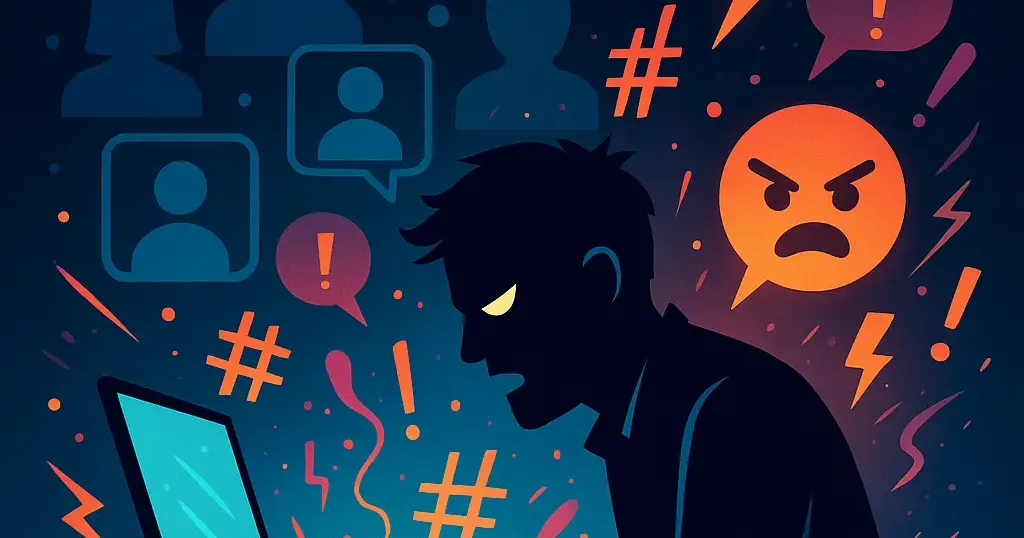
The most sophisticated firewall in the world can't protect you from a convincing phone call. Social engineering bypasses technical security by exploiting human psychology. This advisory covers the most common attack patterns and how to defend against them.
What is Social Engineering?
Social engineering is the art of manipulating people into divulging confidential information or performing actions that compromise security. It exploits trust, authority, urgency, and other psychological triggers to bypass logical thinking.
"Amateurs hack systems. Professionals hack people."
— Security industry maxim
Common Attack Vectors
1. Phishing
What it is: Fraudulent communications (usually email) designed to trick you into revealing sensitive information or installing malware.
Red flags:
- Sender address doesn't match the organization
- Generic greetings ("Dear Customer")
- Urgent language demanding immediate action
- Links to unfamiliar domains
- Requests for passwords or financial information
- Spelling and grammar errors
- Threats of account closure or legal action
Defense:
- Never click links in unexpected emails—go directly to the website
- Hover over links to preview the actual URL
- Verify requests through a separate channel
- Use email authentication tools that flag suspicious senders
2. Vishing (Voice Phishing)
What it is: Phone calls from attackers impersonating banks, tech support, government agencies, or other trusted entities.
Common scenarios:
- "This is your bank's fraud department—we've detected suspicious activity"
- "Microsoft Support calling about a virus on your computer"
- "IRS calling about back taxes you owe"
- "Police department—there's a warrant for your arrest"
Defense:
- Hang up and call back using the official number from the organization's website
- Government agencies don't call demanding immediate payment
- Your bank already knows your account number—they won't ask for it
- Microsoft doesn't make unsolicited support calls
3. Pretexting
What it is: Creating a fabricated scenario to engage a victim and gain their trust.
Examples:
- Posing as IT support to get login credentials
- Pretending to be a new employee who needs help
- Impersonating a vendor to gain building access
- Claiming to be from HR conducting a "survey"
Defense:
- Verify identity through official channels before providing information
- Ask questions only a legitimate person would know
- Follow established procedures—real IT won't ask for your password
4. Baiting
What it is: Leaving malware-infected devices or offering something enticing to lure victims.
Examples:
- USB drives left in parking lots or common areas
- "Free" software downloads
- Fake contest winnings requiring information to claim
Defense:
- Never plug unknown USB devices into your computer
- Download software only from official sources
- If something seems too good to be true, it is
5. Quid Pro Quo
What it is: Offering something in exchange for information.
Examples:
- "I'll give you a gift card if you complete this survey" (that asks for personal info)
- "Free security scan of your computer" (that installs malware)
- "Complete this form to receive your prize" (harvesting data)
6. Tailgating/Piggybacking
What it is: Following authorized personnel through secure doors or checkpoints.
Defense:
- Never hold doors for people you don't recognize
- Politely ask to see credentials
- Report suspicious individuals to security
Psychological Triggers Attackers Exploit
Authority
People tend to comply with requests from authority figures. Attackers impersonate executives, IT departments, law enforcement, or other positions of power.
Urgency
"Act now or lose your account!" Artificial time pressure prevents careful consideration.
Fear
Threats of legal action, account closure, or exposure create panic that overrides judgment.
Social Proof
"Everyone in your department has already completed this." The desire to conform can be exploited.
Reciprocity
Doing someone a small favor creates an obligation. Attackers give something small to extract something larger.
Liking
We're more likely to comply with people we like. Attackers build rapport before making requests.
Organizational Defense Strategies
Establish Verification Protocols
- Create a procedure for verifying unusual requests
- Implement callback verification for sensitive changes
- Use code words for phone verification
Security Awareness Training
- Regular phishing simulations
- Training on current attack trends
- Clear reporting procedures for suspicious activity
- No-blame culture for reporting potential incidents
Technical Controls
- Email filtering and authentication (SPF, DKIM, DMARC)
- Multi-factor authentication (MFA) on all accounts
- Physical access controls and visitor management
- USB device restrictions
Personal Defense Checklist
- Pause before acting—legitimate requests can wait for verification
- Verify through a separate channel—don't use contact info provided in the suspicious message
- Question authority—real IT support won't ask for your password
- Trust your instincts—if something feels wrong, it probably is
- Report suspicious contacts—you might prevent someone else from being victimized
Covering the underground since 2020.

The Truth About Cyber Doxxing: Why IP Tracing Doesn’t Work Like in the Movies
🔥 The Realities of Cyber Doxxing & IP Tracking 🔥 In the world of cybersecurity, misinformation is just as dangerous as any cyberattack. One of the biggest myths floating around? The idea that...

Anti-Doxxing Field Guide: How to Protect Your Identity Before You Become a Target
A comprehensive guide to protecting your personal information before you become a doxxing target. Covers data broker removal, social media lockdown, address privacy, and ongoing maintenance strategies.
Secure Communications Guide: Encrypted Messaging and Email for the Privacy-Conscious
A practical guide to secure messaging and email. Covers Signal, ProtonMail, PGP, and operational security principles for protecting your communications from surveillance and interception.